Minors and guardians
Set your minor age, ask for a parent's or guardian's signature on waivers, and see who is a minor.
When young people volunteer with you, a waiver can ask for a parent's or guardian's signature as well as theirs. Causefolk asks for the volunteer's date of birth once, decides whether they are a minor, and emails their guardian a link to sign.
Where to find it
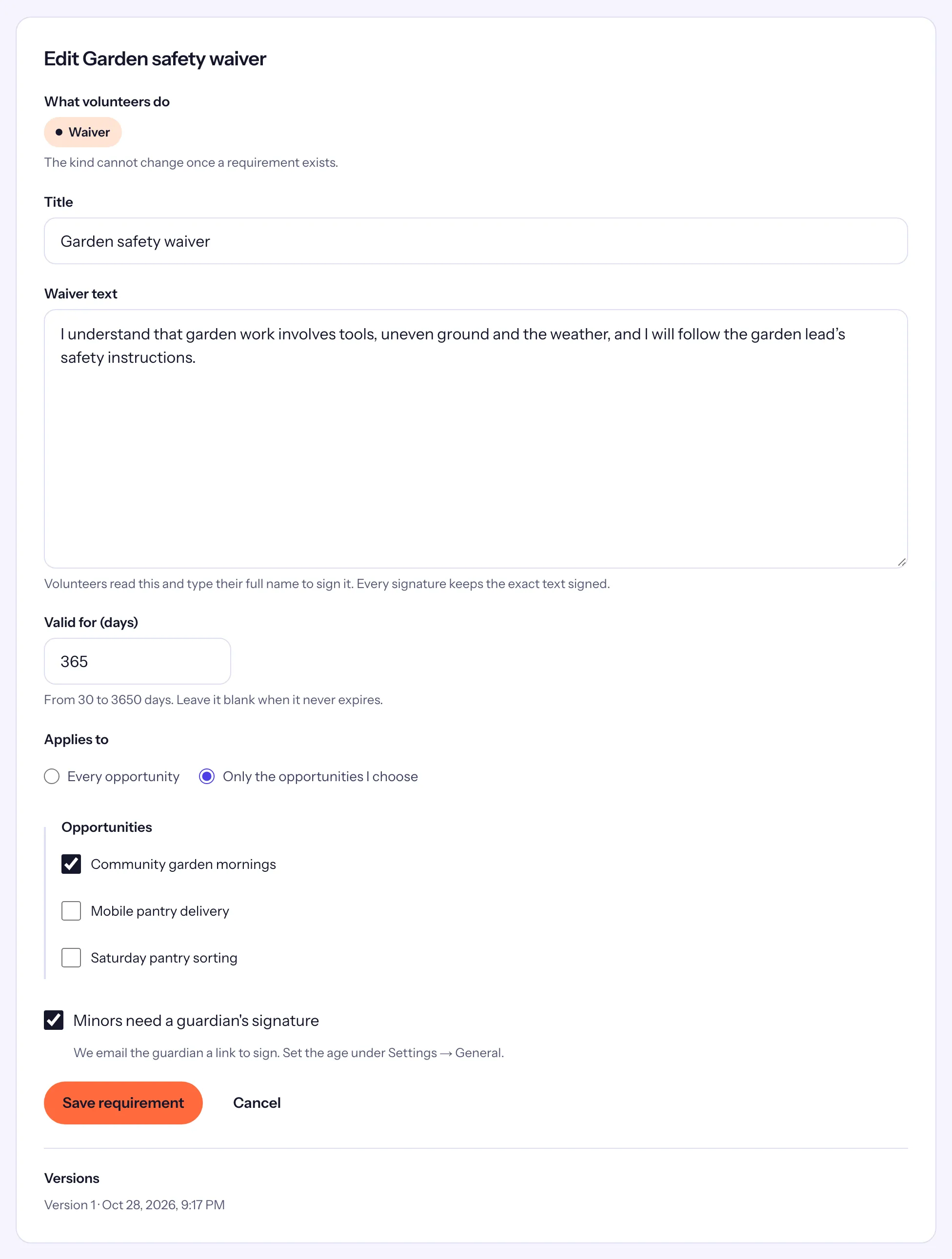
- Settings → General: the minor age, "Volunteers under this age need a guardian's signature on waivers".
- Applications → Requirements: the waiver's Minors need a guardian's signature box.
- A volunteer's record: the Requirements card, with the date of birth and each guardian request.
Set it up
- Under Settings → General, set the minor age (18 unless you change it) and save.
- Open Applications → Requirements and create or edit a waiver. See Waivers, trainings and certifications.
- Tick Minors need a guardian's signature and save the requirement.
What the volunteer does
When the waiver comes up, at signup or on their profile:
- If their date of birth is not on record yet, they enter Your date of birth. They give it only once.
- They read the waiver, type their full name and tick "I have read and agree", like anyone else.
- If they are a minor, under A parent or guardian must also sign, they enter their Guardian's full name, the Relationship to you and the Guardian's email, then choose Email my guardian.
They can sign up once the guardian has signed. Until then they see "Waiting for … to sign." with Resend.
What the guardian does
The guardian gets an email with a link. The page it opens shows only the waiver's text, the volunteer's first name, and the guardian's own name and relationship. They type their full name, tick "I have read and agree, as their parent or guardian" and choose Sign. The volunteer then gets an email saying their guardian signed.
What your team sees
On the volunteer's Requirements card:
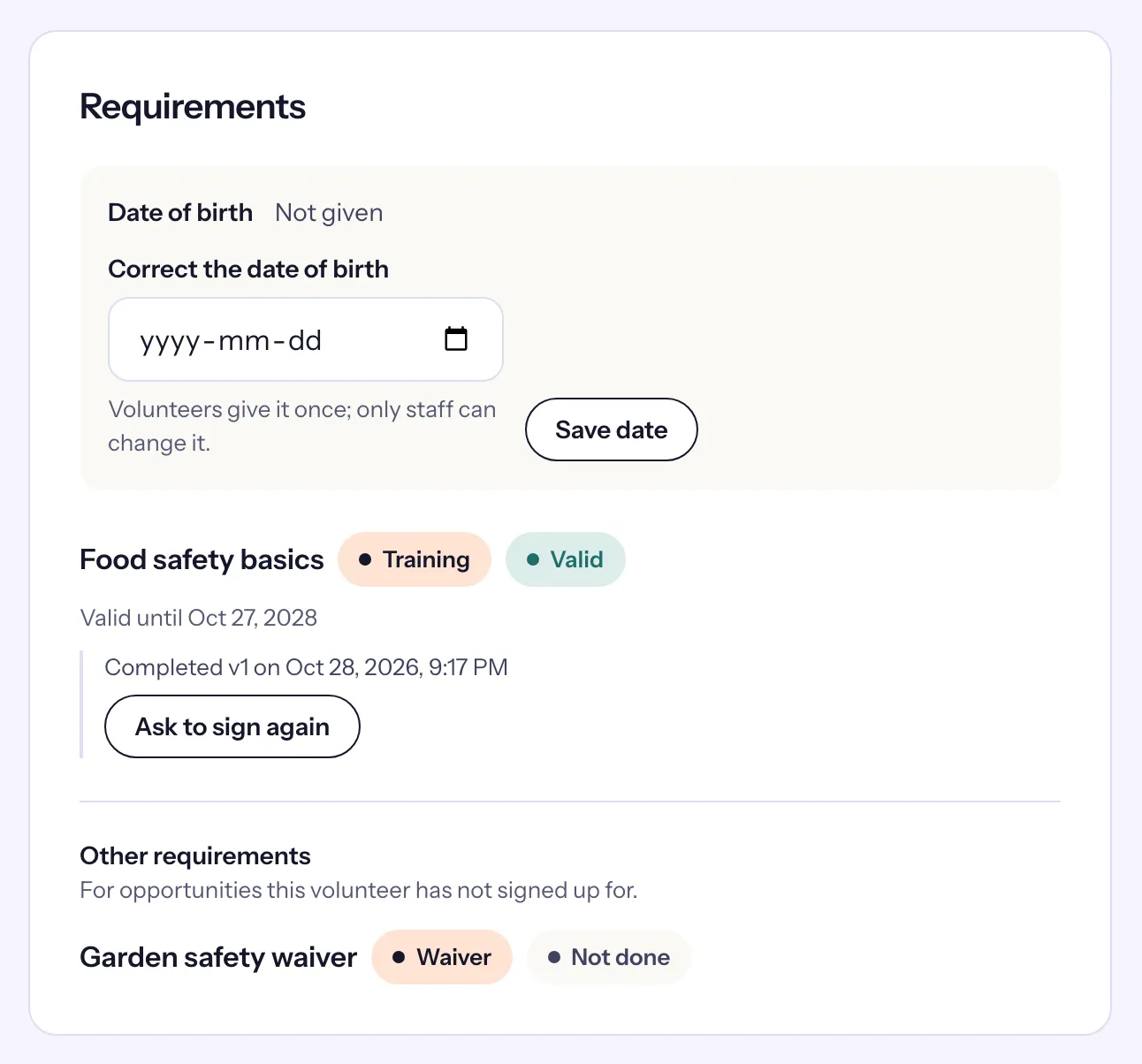
- Waiting for guardian, with who was asked, their email and since when. Resend to guardian sends a new link.
- Once signed: "Guardian … (…) signed on …".
- Date of birth, with Correct the date of birth and Save date if it was entered wrong.
The About card shows the volunteer's age group, Minor or Adult, when the date of birth is known. The Volunteers list has a Minors only filter, and the export a Minor column.