Waivers, trainings and certifications
Ask volunteers to sign a waiver, complete a training or upload a certification before they sign up, and verify what they send.
Requirements are things a volunteer completes before they can sign up: a liability waiver, a food safety video, a first aid card. Each one applies to every opportunity or only to the ones you choose, and can expire so it is done again.
Where to find it
Applications → Requirements. Definitions lists your requirements with how many records are valid, pending and expired; Verification is where certifications wait for you. Owners and staff make changes.
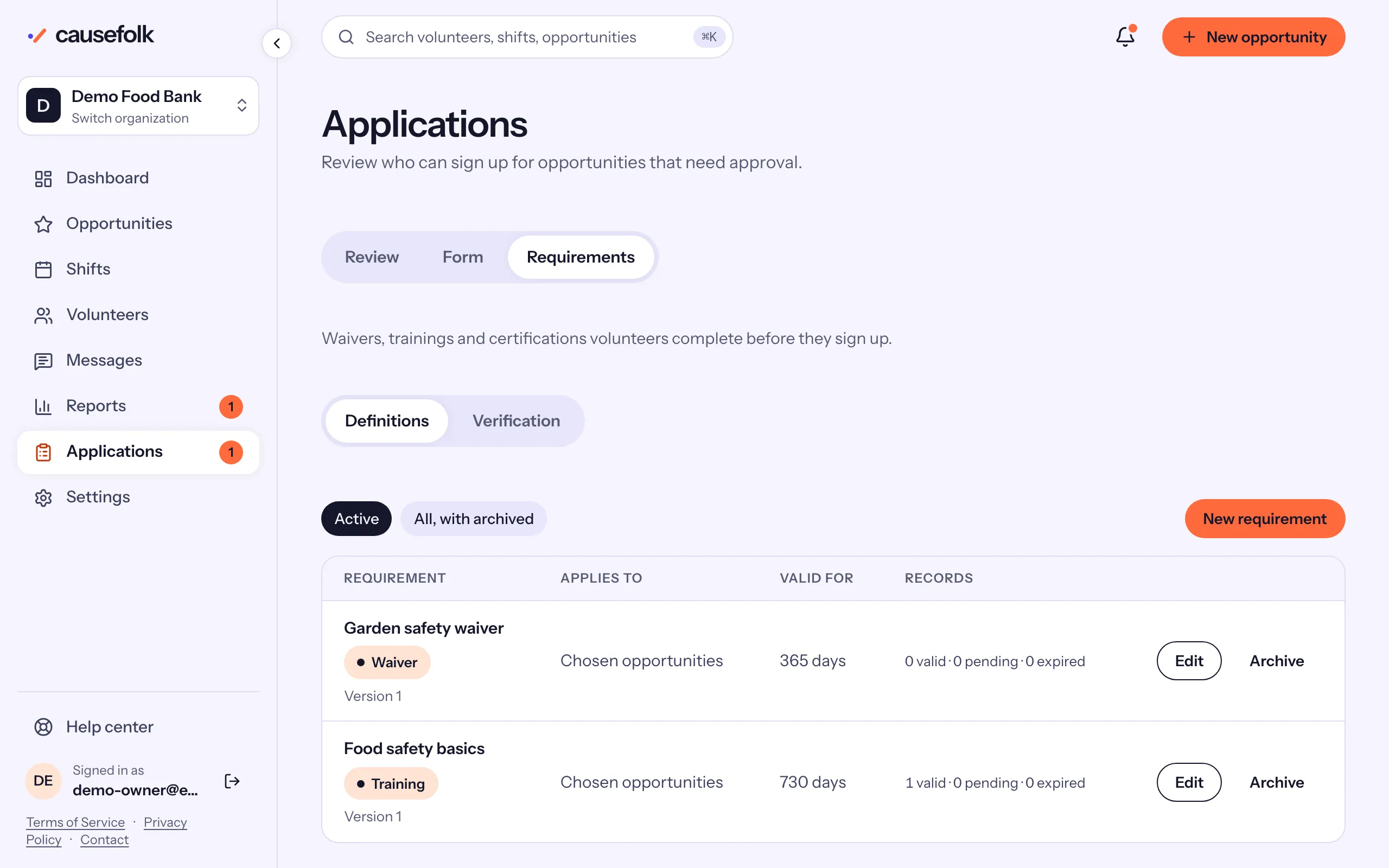
Create a requirement
- Choose New requirement.
- Under What volunteers do, choose Sign a waiver, Complete a training or Upload a certification.
- Enter a Title, then the Waiver text, the Instructions or What to upload. A training can have a Training link (optional).
- Enter Valid for (days), or leave it blank when it never expires.
- Under Applies to, choose Every opportunity or Only the opportunities I choose and tick them.
- For a waiver, tick Minors need a guardian's signature if it applies. See Minors and guardians.
- Choose Create requirement.
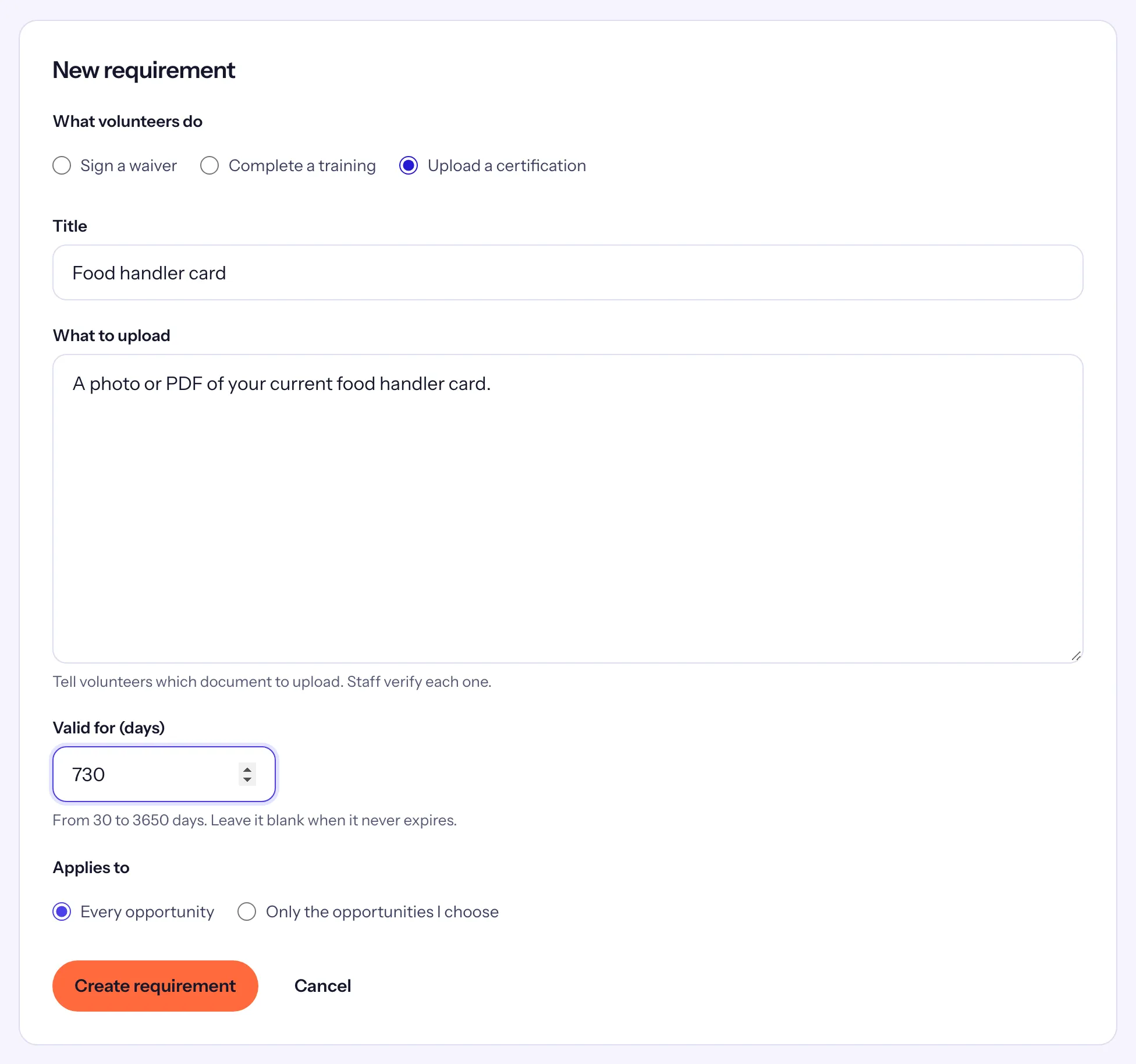
You can also tick requirements on an opportunity's own form, under Requirements for this opportunity.
What volunteers do
When they sign up, the form shows Before you sign up with each missing item:
- Waiver: they read it, type their full name, tick "I have read and agree" and choose Sign.
- Training: Open the training, then tick "I completed this training" and choose Confirm.
- Certification: they upload Your document, add the Document expiry date (optional) and choose Send for verification.
Then Finish signing up completes the signup. Volunteers can also do this ahead of time, or renew, from the Requirements card on their profile.
Verify certifications
Open Verification. The chips show Pending, Expiring, Expired and Declined. For each document choose Verify, or Decline with a Reason (sent to the volunteer), then confirm.
Change, archive and ask again
- Editing the title, text or link saves a new version. Tick Volunteers must complete the new version again to end everyone's current record now and email them; leave it off to keep current records valid until they expire.
- Archive stops a requirement applying to signups and keeps its records. Restore brings it back.
- On a volunteer's record, Ask to sign again ends their current record and emails them.