Application forms
Build the form volunteers fill in before they can sign up for opportunities that need your approval.
Some roles need a closer look before someone shows up: driving, working with children, handling money. Mark those opportunities as needing approval, and volunteers fill in your application form before they can sign up. You review each application and decide.
Where to find it
Applications in the sidebar, then the Form tab. Owners, staff and viewers see Applications; viewers read only.
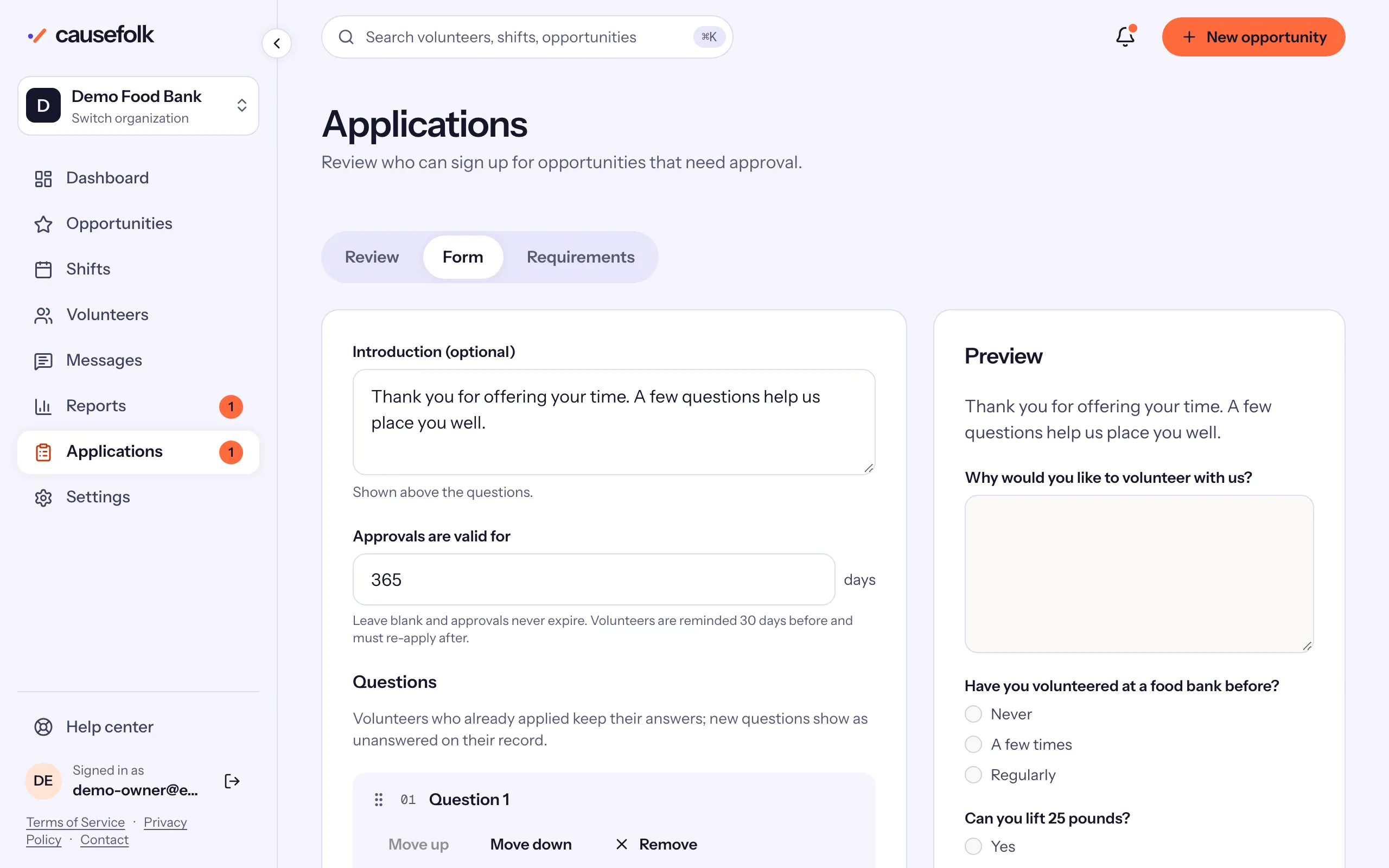
Build the form
- Under Introduction (optional), write a few words shown above the questions.
- Choose Add a question.
- Write the Question, and Help text (optional) if it needs explaining.
- Pick a Type and tick Required if it must be answered.
- Repeat for each question. Use Move up and Move down to reorder them, and Remove, then Confirm remove, to take one out.
- Choose Save form.
The Preview on the right shows the saved form as volunteers see it. It changes when you save, not as you type.
Question types
| Type | The volunteer… |
|---|---|
| Short answer, Long answer | types a line or a paragraph. |
| Yes or no | picks one. |
| Choose one, Choose any | picks from your Options, one per line. |
| Date | picks a date. |
| Agreement | ticks a box to agree to your Statement to agree to. |
| File upload | uploads a document of the kinds you allow under Accepted files: PDF, Images (JPEG, PNG, WebP) or both. |
Ask for an application on an opportunity
The form is the same for all your opportunities. To use it, open an opportunity's form and, under Requirements, tick Requires an approved application, then save. "Volunteers must apply and be approved before they can sign up."
When a volunteer signs up for that opportunity, the signup form first asks them to apply. They answer your questions and choose Submit application, and get an email saying it is under review. Your team is notified, and the application waits in Applications → Review. See Reviewing applications.
At the top of the form, Approvals are valid for sets how long an approval lasts. See Approval expiry and renewal.