Approval expiry and renewal
Make approvals last a set time, remind volunteers before they end, and renew or re-approve them.
An approval can last for good, or for a set number of days, so volunteers in sensitive roles are looked at again every year or two. Causefolk reminds each volunteer before their approval ends and lets them renew from their portal.
Where to find it
- Applications → Form: Approvals are valid for at the top of the form.
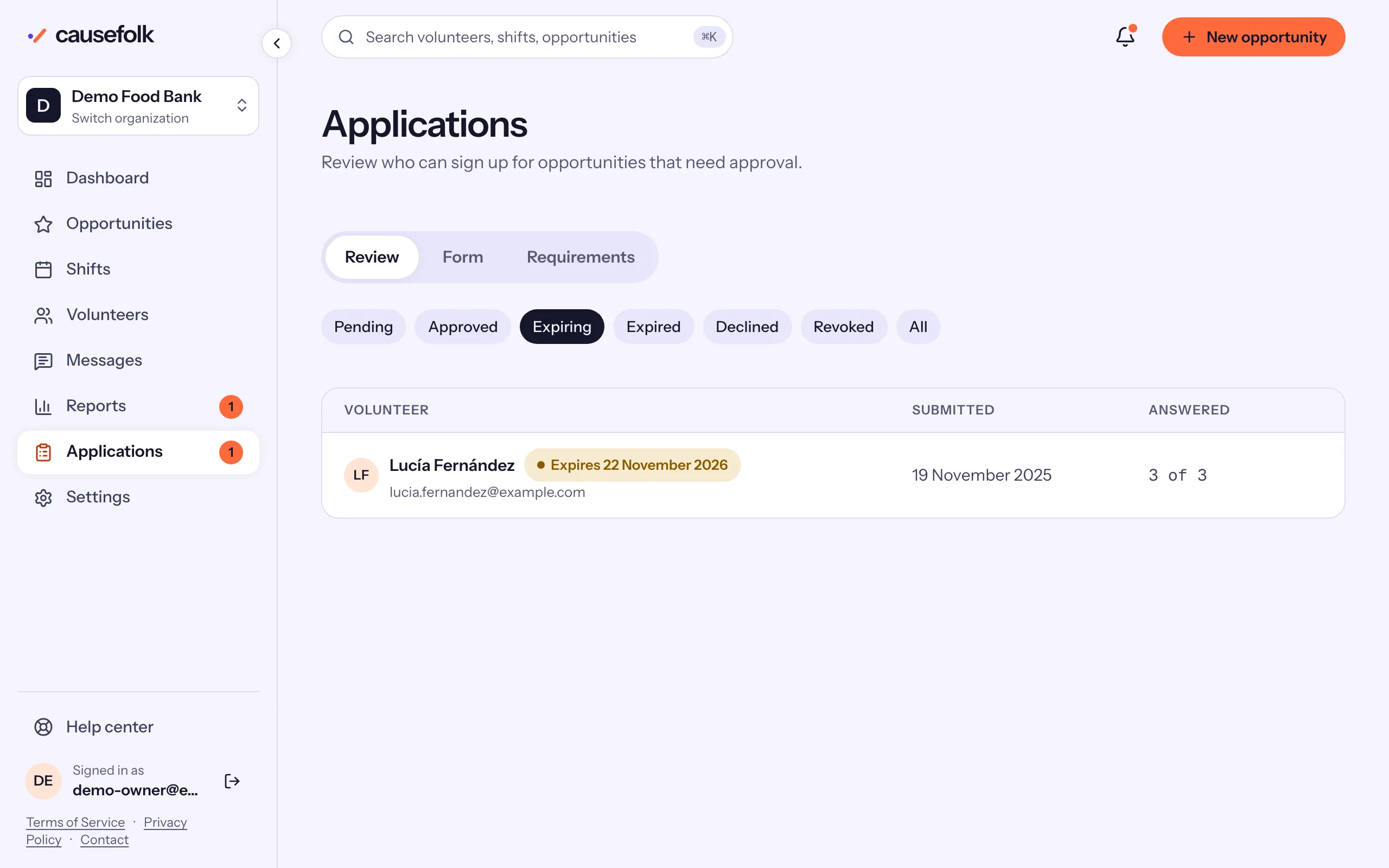
- Applications → Review: the Expiring chip (approvals ending in the next 30 days, soonest first) and the Expired chip.
- A volunteer's record: the Application card, with Renew approval and Expiry override.
Set how long approvals last
- Open Applications, then Form.
- In Approvals are valid for, enter a number of days, or leave it blank so approvals never expire.
- Choose Save form.
An approval then ends that many days after the decision. A change applies to current approvals too. When it would end some of them sooner, or give them a date for the first time, the form says how many and the earliest date, and waits for Confirm and save. A change that only lengthens approvals saves at once.
The reminder and the renewal
Thirty days before an approval ends, the volunteer gets one email. In their portal they see "Expires in … days — renew" with Renew. They check their answers, update anything that has changed and choose Submit renewal. Their approval stays in place while you look.
On your side, the application shows Renewal to review. On its card:
- Renew approval, then Confirm renew, "Starts a new approval period from today and emails the volunteer."
- Decline ends the approval instead.
You can use Renew approval at any time, even when the volunteer has not asked.
Choose an end date by hand
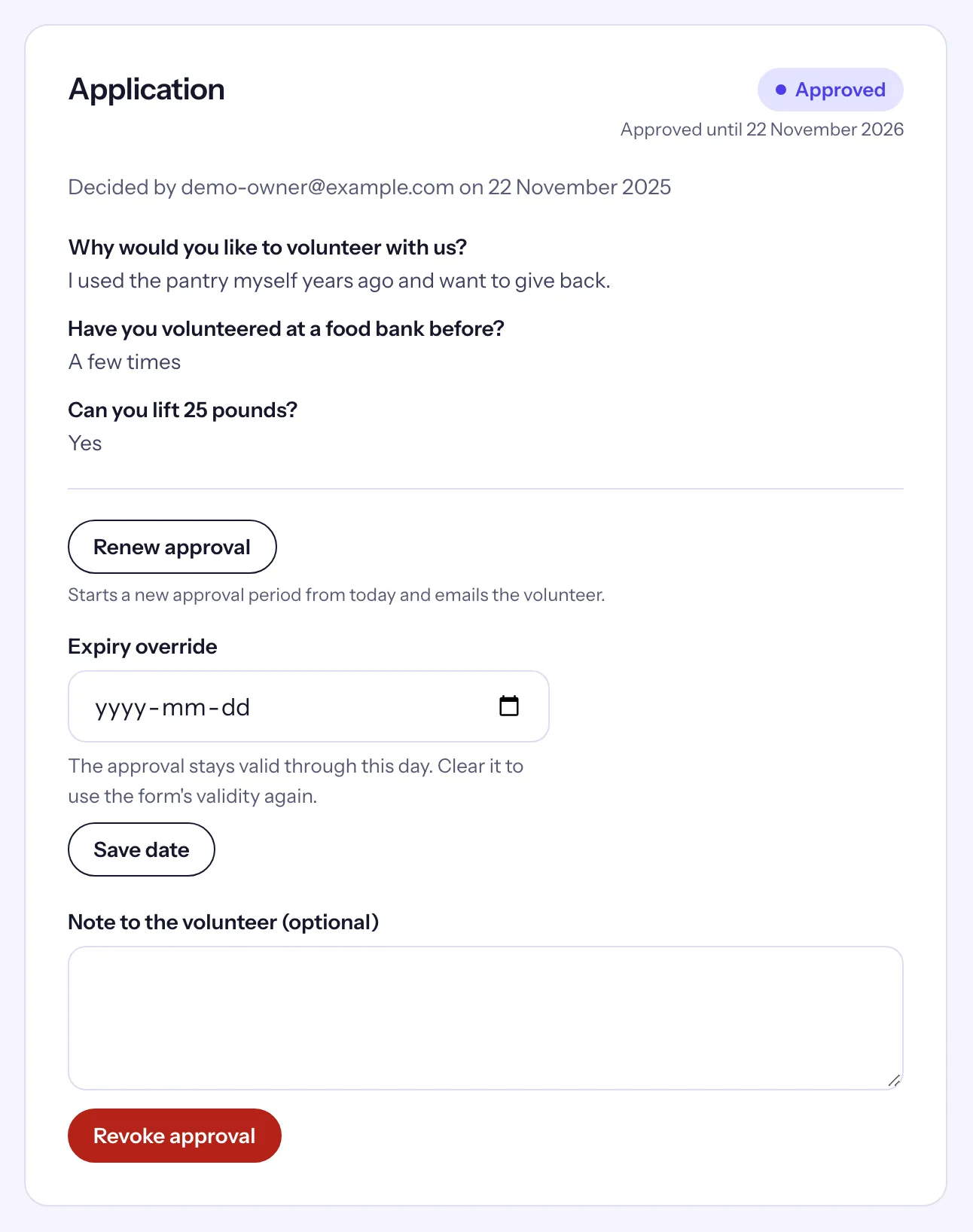
In Expiry override, pick a date and choose Save date. "The approval stays valid through this day." Clear returns to the form's validity. A renewal or a new approval also clears it.
When an approval expires
The volunteer gets an email and their application shows Expired. They can no longer sign up for opportunities that need approval, but shifts they are already confirmed on stay. To come back, they choose Re-apply in their portal, check their answers and choose Submit application; it returns to Pending for you. You can also Approve an expired application directly, which renews it.