Reviewing applications
Approve, decline, revoke or reset applications from the review queue or a volunteer's record.
Every application waits for a decision from your team. The volunteer can sign up for opportunities that need approval only once their application is approved.
Where to find it
Applications in the sidebar opens the Review tab. While applications wait, the sidebar reads "Applications" with a count. Owners and staff decide; viewers read only. Coordinators do not see Applications.
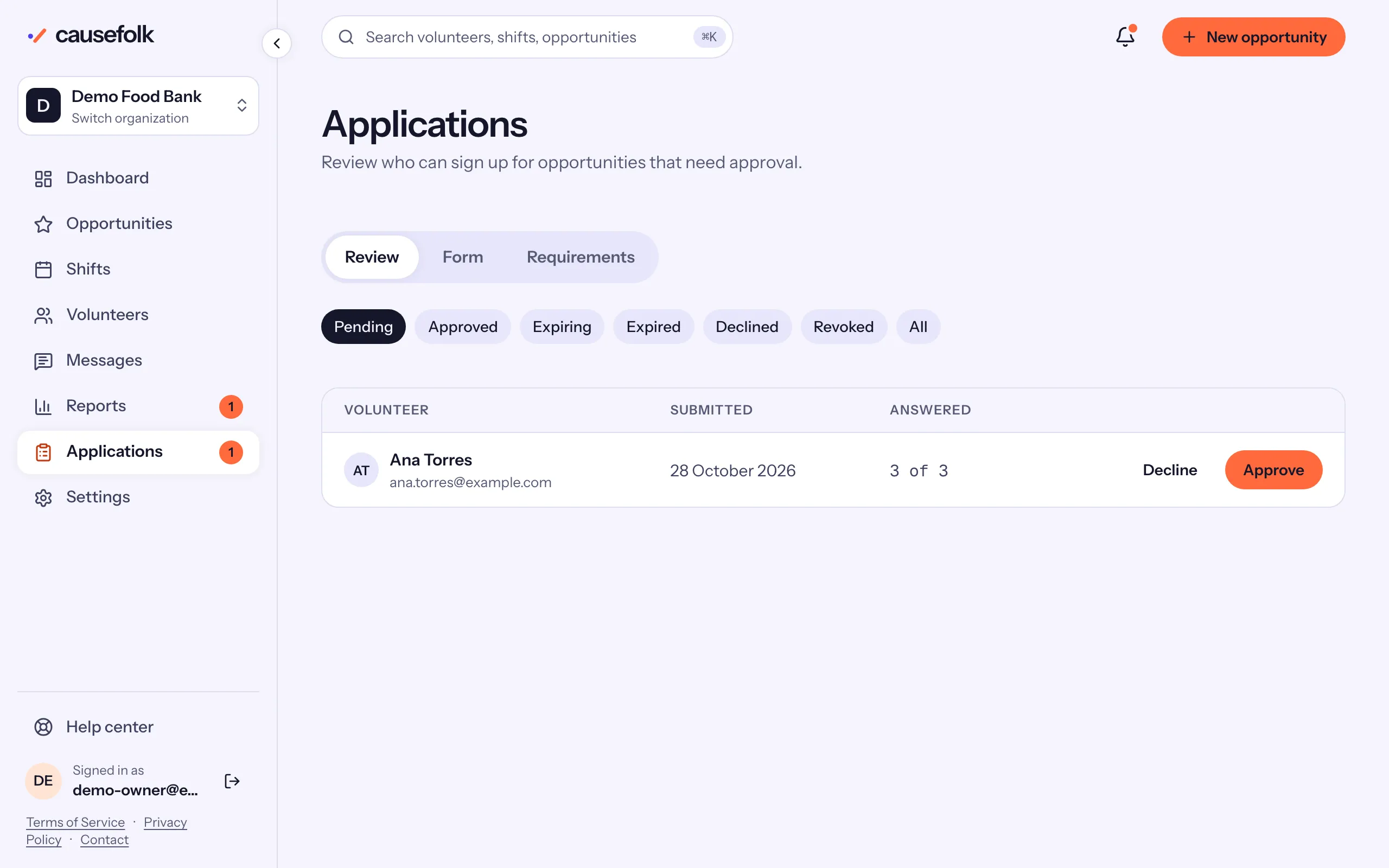
The review queue
The chips filter the queue: Pending (the default, oldest first), Approved, Expiring, Expired, Declined, Revoked and All. Each row shows the volunteer's name and email, when they submitted and how many questions they answered ("3 of 3"). When your organization uses Checkr, a pill shows their background check too.
A pending row has Decline and Approve. Each asks you to confirm (Confirm decline, Confirm approve), then the row leaves the queue.
Read the whole application
Choose the volunteer's name to open their record. The Application card shows every answer; an uploaded file opens in a new tab.
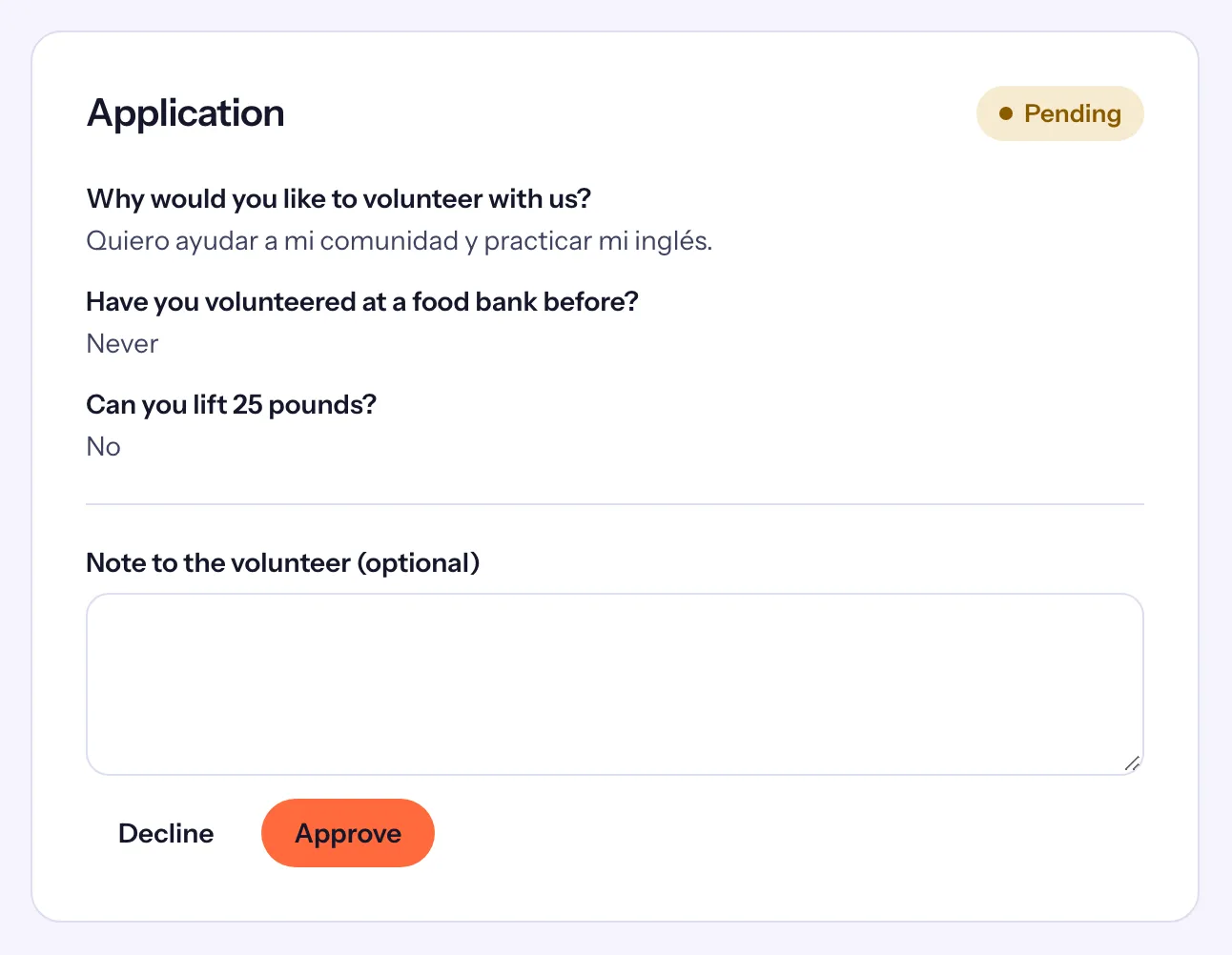
- Optionally write a Note to the volunteer (optional). It goes into the email they get.
- Choose a decision, then confirm it.
The card then says who decided and when.
The decisions
| From | You can | The volunteer |
|---|---|---|
| Pending | Approve or Decline | is emailed either way. |
| Approved | Revoke approval | is emailed. |
| Declined, Revoked | Approve, or Reset | is emailed when approved; a reset sends nothing. |
| Expired | Approve (a renewal), or Reset | is emailed when approved. |
Reset "Deletes the application so the volunteer can apply again." Use it when someone declined should get a fresh start. Without a reset, a declined or revoked volunteer cannot apply again: the signup page tells them "You can't sign up for this opportunity right now" and to contact you.