The volunteer record
One page per volunteer with their details, application, requirements, hours, messages and signups.
Everyone who signs up for a shift, joins a series, applies or is added by your team has a record in your organization. The record brings together what they told you, what your team knows about them and everything they have done with you.
Where to find it
Choose Volunteers in the sidebar, then a name in the list. A name on a roster or in the application queue opens the same page, and so does a volunteer found with the search at the top of every page.
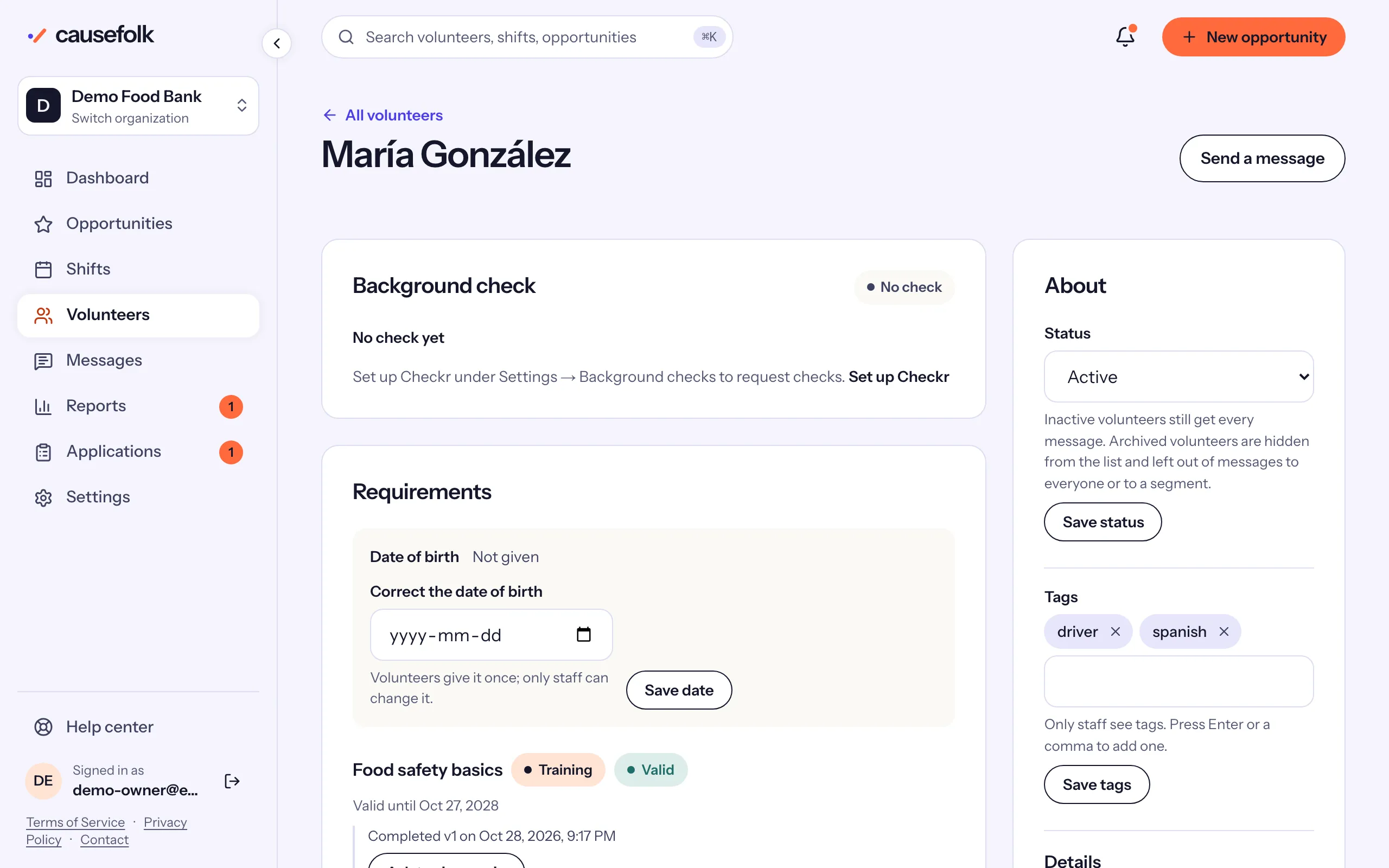
What is on the record
The main column holds what the volunteer has done and needs:
- Application: their answers, the decision and who made it, when they have applied. See Reviewing applications.
- Background check: the status of their Checkr check; once Checkr is connected, Request background check starts one.
- Requirements: each waiver, training and certification that applies to them, with its status and the evidence (who signed, when, from which browser). The date of birth is here too.
- Hours: their own hours, their guests' hours, the total and this year, with Print certificate. Pending hours they logged themselves are listed first, waiting for your decision.
- Badges: the badges they have earned.
- Messages: the last 10 messages and automated emails sent to them, and whether they stopped your messages.
- Signup history: every shift they signed up for, with the role, status, attendance and when they signed up.
The side column holds who they are:
- About: their status and tags, then their details: email, phone, emergency contact, address, skills and availability, and their text message settings. See Status, tags and notes.
- Notes: what your team has written about them.
- Log hours: hours to add by hand.
At the top, Send a message writes to this one volunteer.
Who fills in the details
Volunteers give their emergency contact, address, skills and availability themselves on their profile in your volunteer portal; every section there is optional. Owners and staff can change them with Edit details on the About card. The date of birth is not one of these details: see Minors and guardians.
Who sees what
| Role | On the record |
|---|---|
| Owner, Staff | Every card, and can change them. |
| Viewer | Every card, read-only. |
| Coordinator | Only volunteers on their programs' shifts or series: the contact details, the signups and hours on their programs, the requirements read-only and the background check's status. Never the application answers, messages, notes or the About card. |