Waitlists and offers
How volunteers join a waitlist, how a freed spot is offered and held for them, and what you can do from the roster.
For staff
When a shift is full, volunteers can wait for a spot instead of giving up. When a spot opens, Causefolk offers it to the first person in line, holds it for them for a while, and moves on if they do not answer. You do not have to chase anyone.
Where to find it
- Volunteers: on the signup form, the box Add me to the waitlist for full shifts appears when a shift is full. Series members choose Add me to the waitlist on full dates.
- Staff: the Waitlist part of a shift's roster.
- The hold time: Settings → General, Waitlist offer hold time (hours) (owners).
What happens when a spot opens
A spot opens when someone cancels, when staff remove someone, when a party gets smaller or when you raise the capacity. Then:
What happens when a spot opens
Someone cancels, and a spot opens on a full shift.
Step 1 of 5
- The first waitlisted volunteer whose party fits the free spots gets an offer by email, and by text if they agreed to texts.
- The spot is held for them for your organization's hold time, 24 hours unless you changed it, or until one hour before the shift starts, whichever comes first.
- They choose Claim in the email or on My shifts, and are confirmed. Or they choose Decline, and leave the waitlist for that shift.
- If they do not answer in time, the offer expires and the spot goes to the next person in line.
On the roster
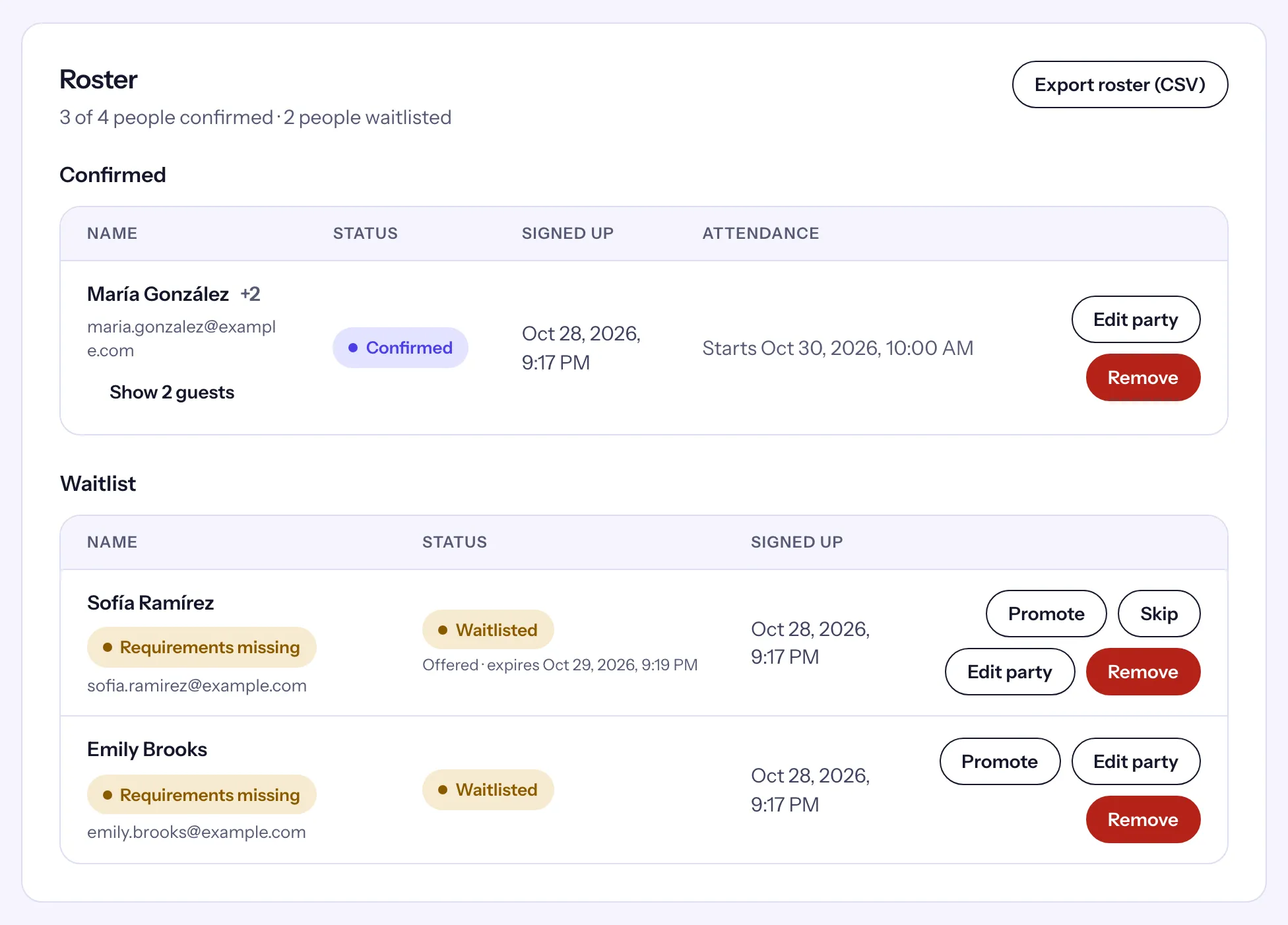
A waitlisted row with an open offer reads Offered · expires and the time. From there:
- Promote, then Confirm promote: "The offer is withdrawn and they are confirmed now." Use it when they have told you yes some other way.
- Skip, then Confirm skip: "They move to the back of the waitlist and the spot is offered to the next volunteer."
- On a waitlisted row without an offer, Promote confirms that person right away, even if the shift is full.