Checking in from your phone
Let the organization know you have arrived, by scanning the check-in poster, showing your daily code or tapping "I'm here", and check out when you leave.
When you arrive for a shift, you can check yourself in with your phone instead of finding someone with a clipboard. Checking in marks you as attended, which is what credits your hours, and records the time you arrived. The organization decides which ways are open at its venue.
Where to find it
- The check-in poster: a printed QR code where volunteers arrive.
- Your check-in code: on your profile, and on the shift in My shifts while check-in is open.
- "I'm here": on the shift in My shifts, or on the page your email's link opens, while check-in is open.
Scan the poster
- Scan the QR code on the poster with your phone's camera.
- Enter The email you signed up with and choose Find my shift. If you are logged in to the portal, this step is skipped.
- If you brought people, choose who is with you under Who is with you?
- Choose Check in. "You're checked in, Ana. Thank you!"
The page only ever shows your first name, never your email.
Show your code
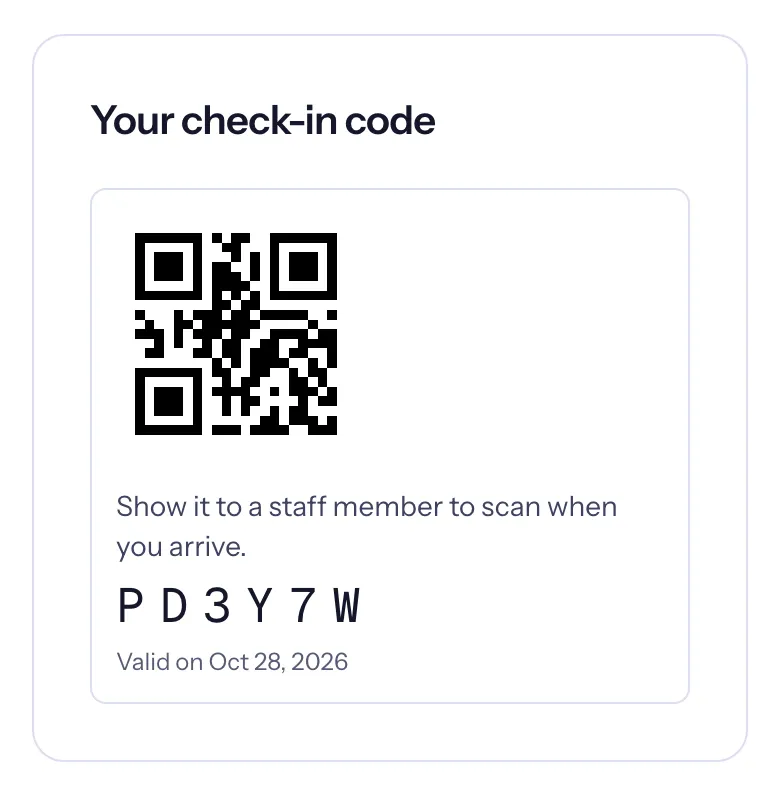
Open your profile, or your shift in My shifts, and show Your check-in code to a staff member: they scan the QR code, or type the six characters if their camera cannot read it. Your whole party is checked in with you.
A new code comes each day. The card says which day it is "Valid on"; it also works the next day, for shifts that run past midnight.
Tap "I'm here"
- Once you are at the venue, open the shift in My shifts.
- Choose I'm here. Your browser asks to share your location: allow it.
- If you are close enough, you are checked in. If not, the page says how far away you appear to be.
Your location is used for this one check and never stored.
Check out when you leave
- I'm leaving: on the shift in My shifts, once you are checked in. It uses your location the same way.
- The poster: scan it again and choose Check out. "Thank you! You checked out at…"
Your party checks out together. Checking out records when you left, so your hours can follow the time you actually stayed, rounded to the nearest quarter hour. If you forget, the organization can enter your times.