Signing up and the portal
Find an opportunity on an organization's volunteer site, choose your shifts and sign up, with no account or password needed.
Every organization that uses Causefolk has its own volunteer site, called the portal. It lists the organization's opportunities and their shifts, and it is where you sign up. Some organizations also show the same signup form on their own website.
Where to find it
- The organization's site, at its own address ending in .causefolk.com, or the signup form on the organization's own website.
- A shared link straight to one opportunity.
The portal's menu has Opportunities, My shifts, Leaderboard if the organization runs one, Log in and the language switch. Once you are logged in, My volunteering joins them and Log in becomes Log out.
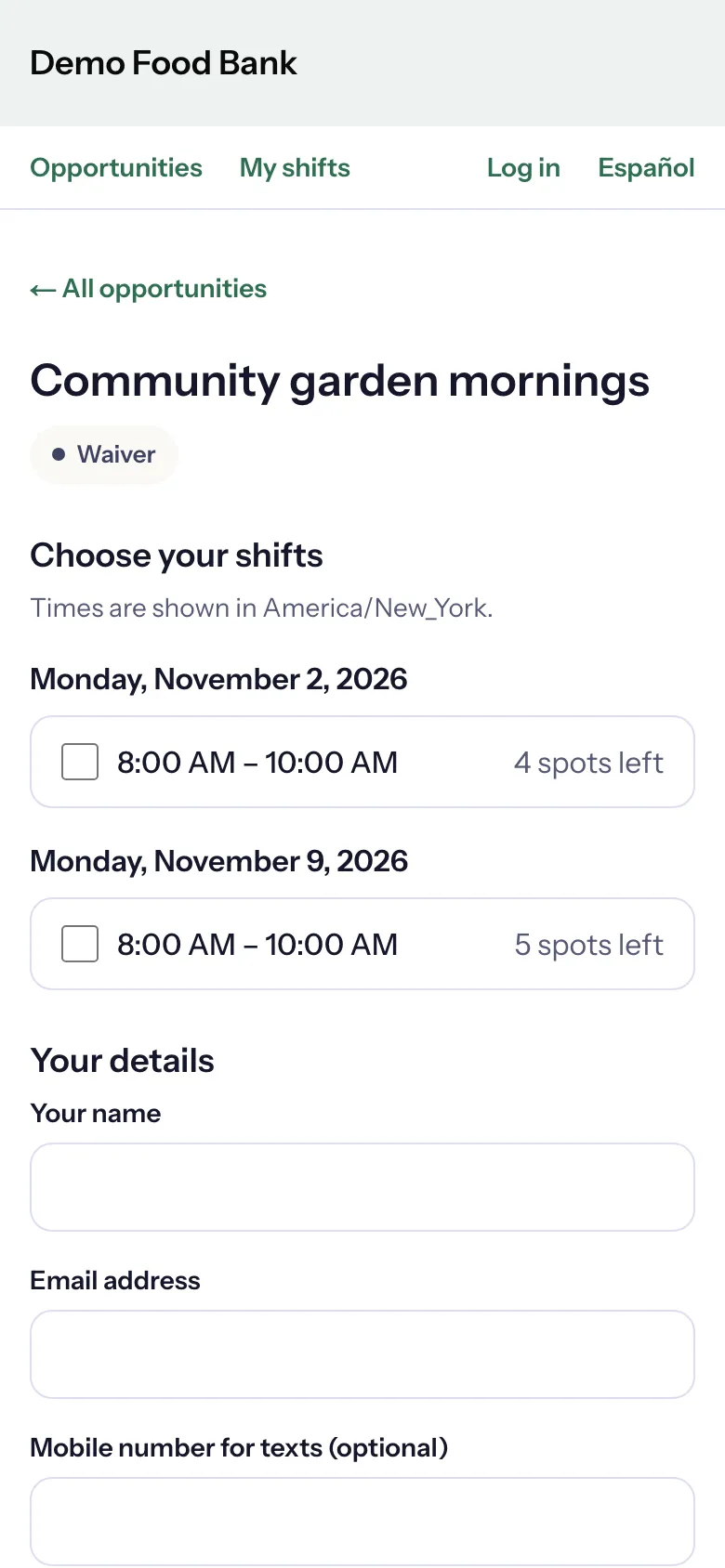
Sign up for a shift
- On Volunteer opportunities, choose See shifts and sign up under the one you like.
- Under Choose your shifts, tick one or more shifts. Each shows how many spots are left, or Full. Times are in the organization's time zone, as the line above the list says.
- If a shift you want is full, tick Add me to the waitlist for full shifts (it appears when a shift is full).
- Under Your details, enter Your name and Email address.
- To get texts as well as emails, enter a Mobile number for texts (optional) and tick the consent box. See Text messages and consent.
- Phone (optional) is a number the organization can call you on.
- Choose Sign up.
The result lists each shift with what happened: "You're confirmed." or "You're on the waitlist. We'll email you if a spot opens up." You also get an email for each, with a private link to see or cancel your signups. Keep it: it works without logging in.
Bringing others
If the organization accepts groups, the form asks Bringing others? Choose Just me or how many people come with you, and optionally name your guests. "Everyone in your party takes a spot. You're the contact for all of them." A party is signed up together or waitlisted together, never split.
Roles and series
- Roles. Some shifts ask you to choose one role, such as Greeter or Planter, each with its own spots.
- Series. A shift that repeats, such as every Saturday, may offer Join the whole series. Choose Join the series to be signed up for every date, including dates added later.
Before you can sign up
Some opportunities ask for more first. The form tells you what is needed and walks you through it:
- an application, which the organization reviews before you can sign up;
- a waiver to sign, a training to confirm or a document to upload;
- a background check, run by Checkr.
Logging in
You never need a password. Choose Log in, enter your email and choose Email me a sign-in code, then type the 6-character code from the email. The code expires in one hour. Use the email you signed up with, so your shifts are there.
Logged in, you can see My shifts and, from its Edit your details link, your profile: Your details (your name, phone, emergency contact, address, skills and availability), your check-in code, your badges and your settings for messages and texts.