Marking attendance
Record who came and who did not on a shift's roster, and how that turns into hours.
Attendance is what turns a signup into hours. Each person on a shift is marked Attended or No-show, and every attended person is credited hours that count in your reports and on their record.
Where to find it
Open a shift's page (Shifts in the sidebar, then the shift's time). The Roster card lists the confirmed people. From 60 minutes before the shift starts, each row gets its attendance controls; before that, the row only says when the shift starts.
From signup to hours
Step through how a signup becomes hours in your reports:
Mark people on the roster
- On the shift's page, find the person in the Confirmed list.
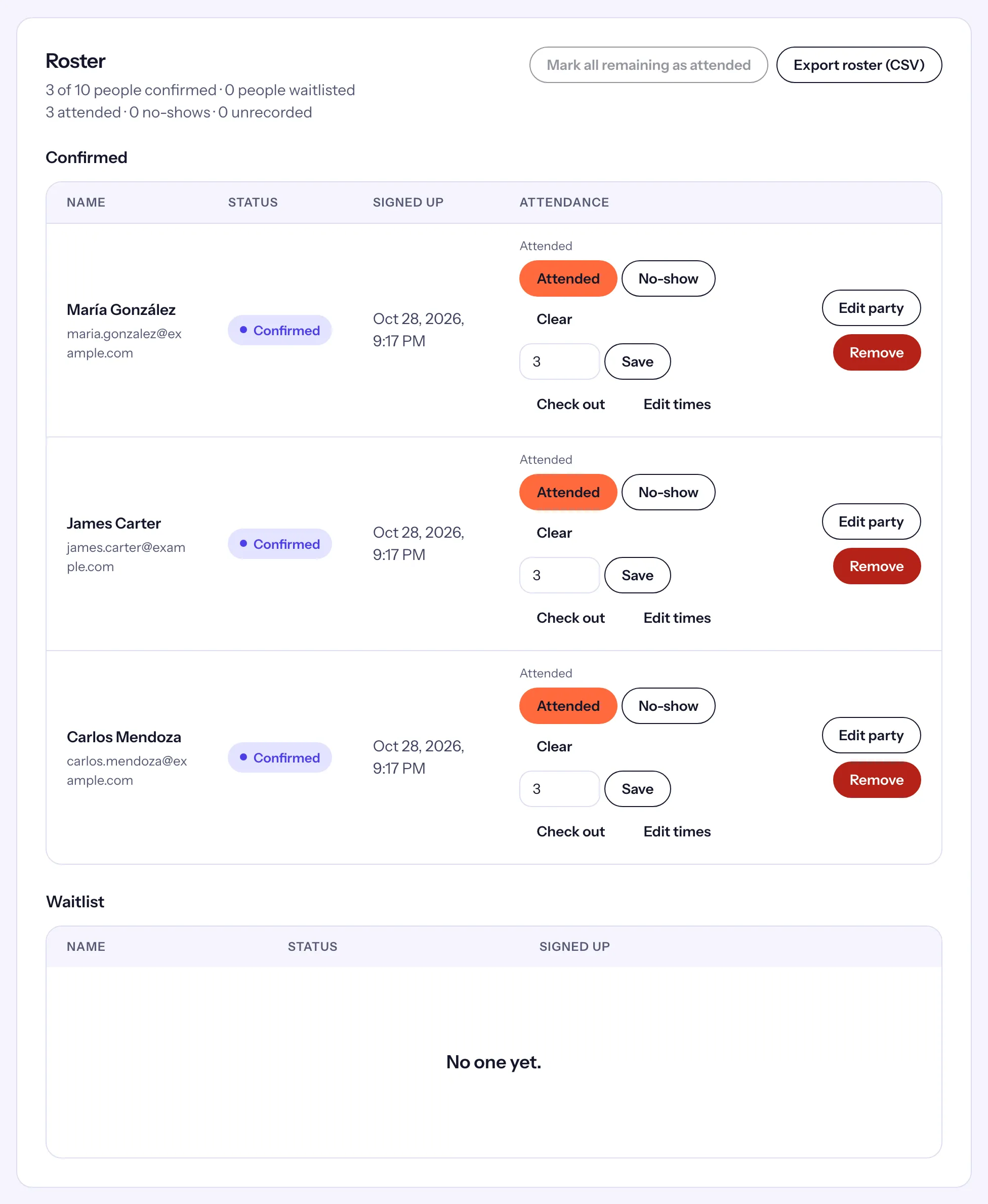
- Choose Attended or No-show. The mark shows above the buttons, such as "Attended" or "No-show · 9:30 AM".
- To undo a mark, choose Clear.
- When everyone left on the list came, choose Mark all remaining as attended, then Confirm mark all. It marks every confirmed person who has no mark yet, guests included, and leaves the marks you already made alone.
The roster's header keeps count: "3 attended · 0 no-shows · 0 unrecorded".
Groups
A volunteer who brought guests shows "+2" beside their name. Choose Show 2 guests to list them: each guest has their own Attended and No-show buttons and their own hours, credited to the volunteer who brought them.
Hours for an attended person
An attended person is credited the length of the shift, or the time they were actually there when they checked in and out (see Check-out and measured hours). To set the hours yourself, type them in the Hours field on their row and choose Save. Hours you set by hand stay as they are, whatever times are entered later.
Marks volunteers make themselves
Volunteers who check themselves in (with the poster, their daily code, "I'm here" or a kiosk) get the same mark, and the roster names how: "Attended · 9:02 AM · QR", "· scan", "· location" or "· kiosk". A mark you make names no method and has no arrival time: it records that the person came, not when. See Self check-in.
The morning reminder
If a shift has ended with confirmed people still unmarked, Causefolk can email you at 8:00 in the morning, in your organization's time zone, listing those shifts with an Open roster link. Each shift is in one reminder only. It is the "Attendance to record" line in Staff notifications.