Check-out and measured hours
Record when people leave, and credit the time they were actually there instead of the shift's length.
A shift credits its length by default: three hours for a 9:00 to 12:00 shift. When a volunteer checks in and checks out, Causefolk can credit the time they were actually there instead, rounded to the quarter hour.
Where to find it
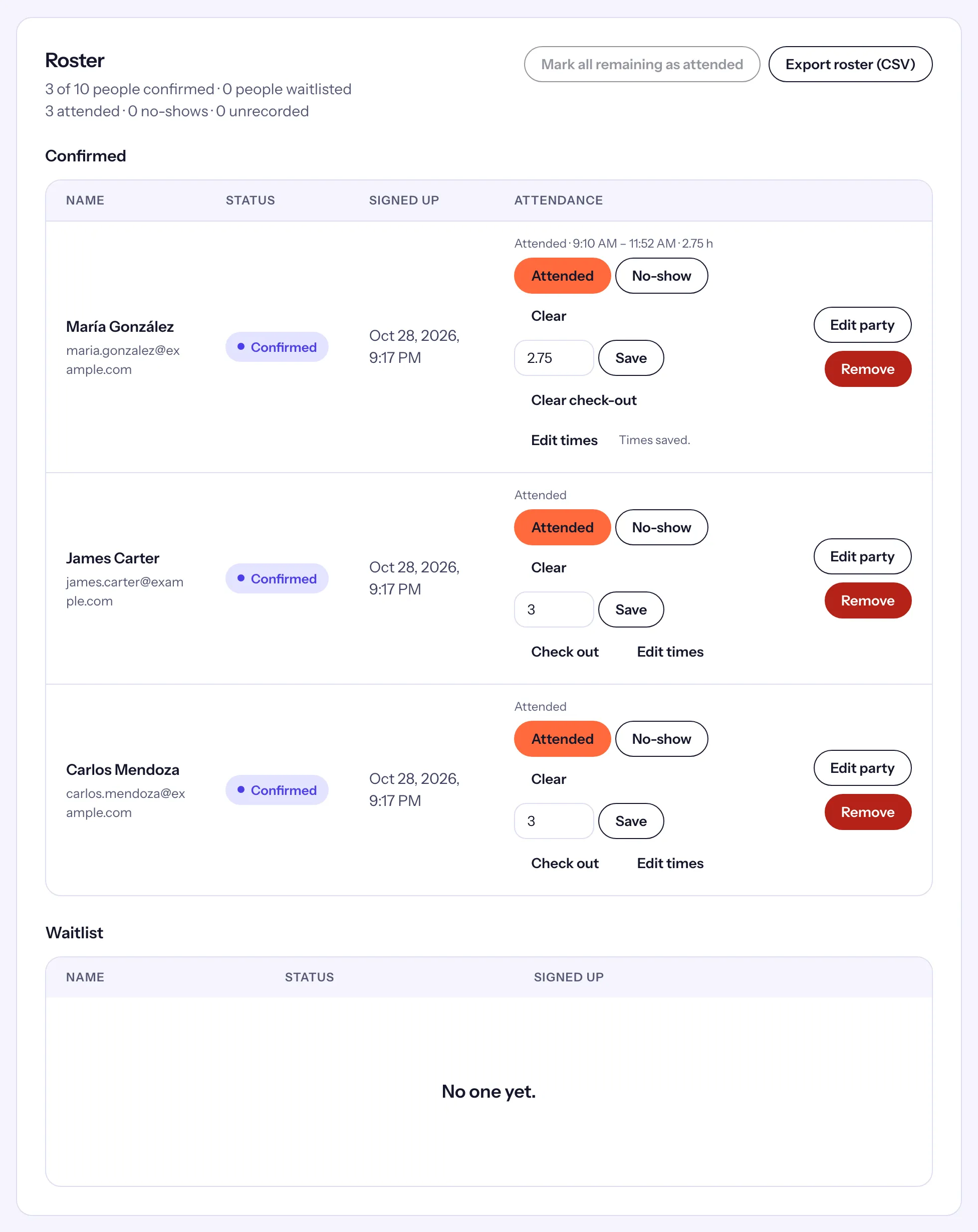
On a shift's Roster, every attended row has Check out (or Clear check-out once out) and Edit times. Volunteers check out with the same tools they check in with.
How volunteers check out
- The poster: scanning it again while checked in shows "You checked in at 9:02 AM" and Check out.
- "I'm leaving": on their shift in My shifts, in place of "I'm here", with the same location rule.
- The kiosk: they find their name again and tap Check out.
- Their daily code: when staff scan the code of someone checked in, the scanner says when they arrived and offers Check out.
A volunteer's whole party checks out together.
Check someone out yourself
- On the roster, choose Check out on their row. The time is now.
- To enter other times, choose Edit times. A panel opens under the row with Arrival and Check-out, in your organization's time zone.
- Fill in either or both, and choose Save times. Leave a field empty to clear it.
- Clear check-out removes the check-out and its time.
The row then reads "Attended · 9:10 AM – 11:52 AM · 2.75 h": the arrival, the check-out and the hours credited.
Which hours count
For each attended person, the hours credited are, in this order:
- Hours set by hand in the row's Hours field. They win, and Edit times then says "The hours were set by hand and stay as they are."
- Measured hours, when there is both an arrival and a check-out.
- The shift's length otherwise.
Measured time starts at the arrival, or at the shift's start if they came early. It stops at the check-out, or 60 minutes after the shift's end if they left later than that. It is rounded to the nearest quarter hour.
A mark you make on the roster has no arrival time, so checking that person out still credits the shift's length. To measure their time, enter their arrival with Edit times.