Staff notifications
Choose how you hear about signups, cancellations, applications and attendance: instantly, by text, in a daily digest or not at all.
Causefolk tells your team what volunteers do: who signed up, who canceled, who applied. Each person on your team chooses how they hear about each kind of notice, and owners set the defaults for everyone who has not chosen.
Where to find it
Settings, then Notifications. "My notifications" holds your own choices, then your "Mobile number" for texts, then the "Organization defaults".
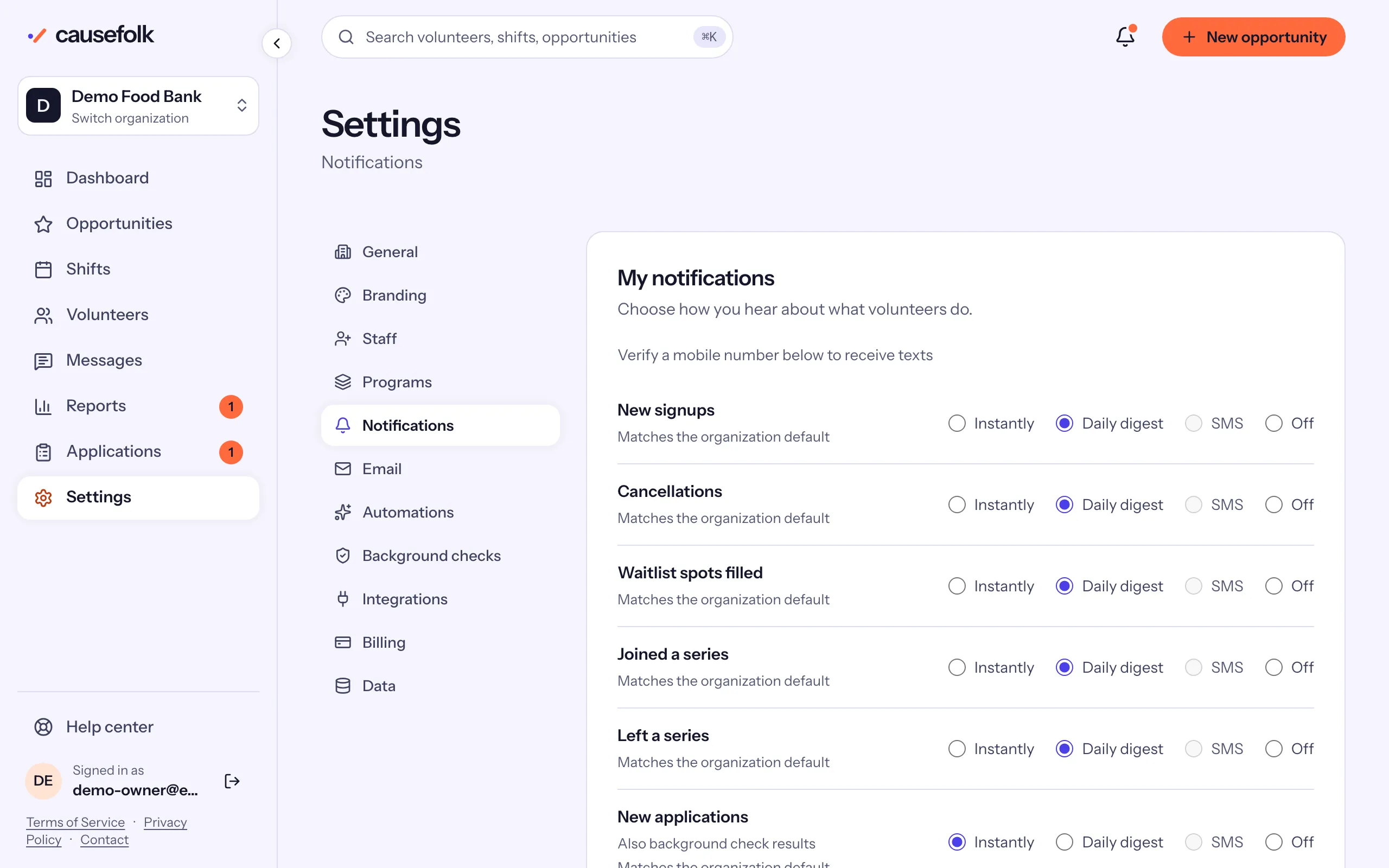
The kinds of notice
| Notice | What it is about |
|---|---|
| New signups | A volunteer signed up for a shift. |
| Cancellations | A volunteer canceled. |
| Waitlist spots filled | Someone on a waitlist got a spot. |
| Joined a series, Left a series | Someone joined or left a recurring series. |
| New applications | An application arrived. Background check results, hours volunteers logged and certifications to verify follow the same choice. |
| Attendance to record | Shifts that ended with people not yet marked. |
Changes your own team makes, such as adding someone to a shift, send no notice.
How each choice works
- Instantly: one email per event, as it happens.
- SMS: the same notice as a text, once your mobile number is verified.
- Daily digest: one summary email at 8:00 in the morning, in your organization's time zone, grouping what happened since the last one. Attendance to record has no digest: it is its own email at 8:00.
- Off: nothing is sent. What volunteers did still shows under the bell at the top of the app.
Choose your own
- Open Settings, then Notifications.
- For each row, choose Instantly, Daily digest, SMS or Off. A row you have not changed says "Matches the organization default".
- Choose Save my notifications.
To go back to the defaults, choose Use the organization defaults.
Get notices by text
- Under "Mobile number", enter a US or Canadian number and choose Send code.
- Enter the 6-digit code from the text and choose Verify.
- Choose SMS on the rows you want texted, and save.
If you reply STOP to one of these texts, they stop and your notices come by email instead. Text START from the same number to resume.
Organization defaults
Owners set what everyone else follows until they choose for themselves: change the rows under "Organization defaults" and choose Save defaults. Staff see the defaults without changing them. A default can be Instantly, Daily digest or Off; texts are a personal choice.
Without any choice, Causefolk sends New applications and Attendance to record instantly, and everything else in the daily digest.