Automations
Thank volunteers after their first shift, celebrate milestones and anniversaries, and invite lapsed volunteers back, automatically.
Four emails can go out on their own, in your organization's name, at the right moment for each volunteer. Each is sent at most once for the same occasion, and each can carry a short note from you.
Where to find it
Settings, then Automations. Owners switch them on and off; staff see the settings read-only.
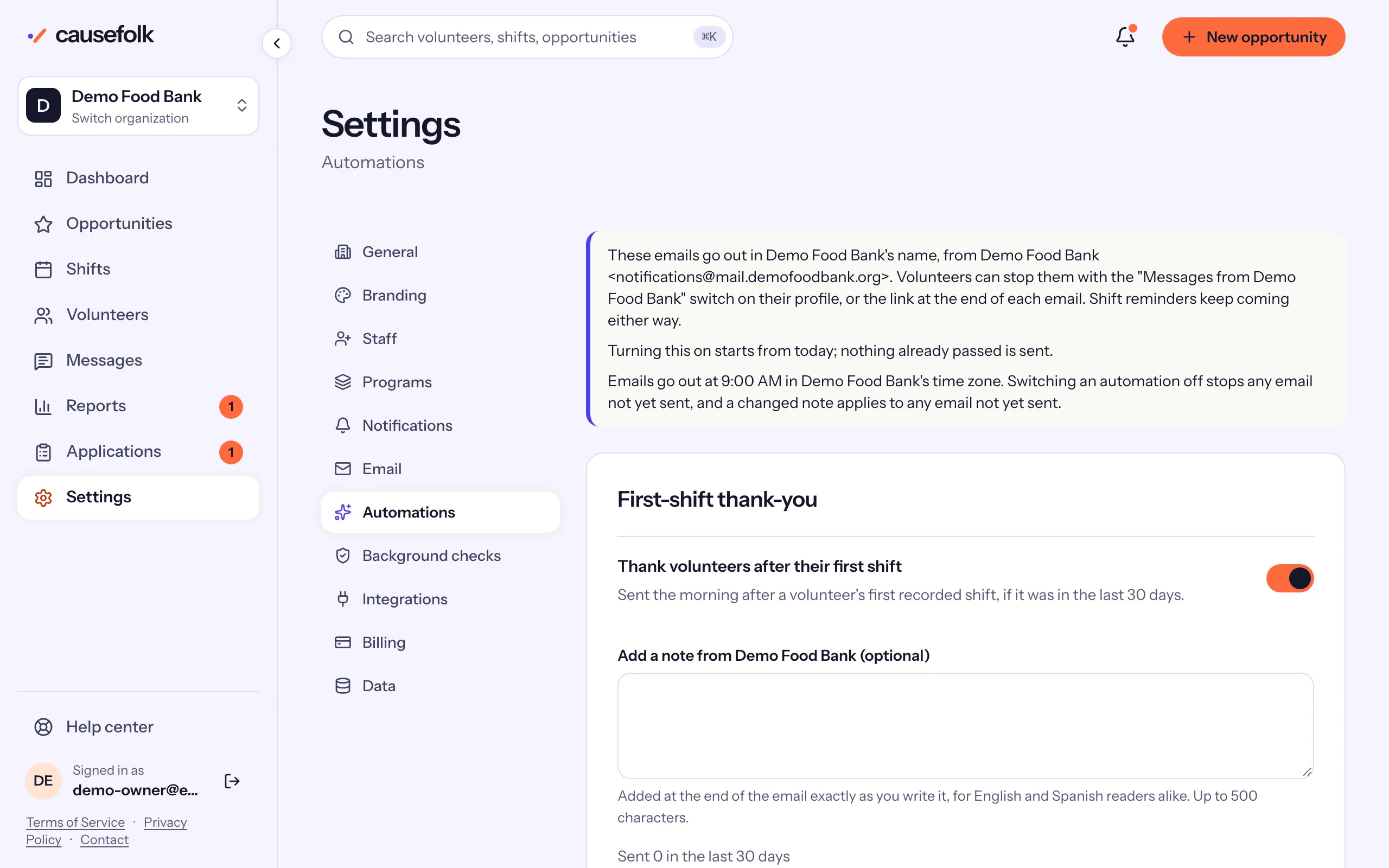
The four automations
| Automation | When it is sent |
|---|---|
| First-shift thank-you | The morning after a volunteer's first recorded shift, if that shift was in the last 30 days. |
| Hours milestones | When a volunteer's own hours reach 10, 25, 50, 100, 250, 500 or 1,000. One email names the highest reached. |
| Volunteering anniversaries | Each year around the anniversary of their first shift, if they also volunteered in the last 12 months. |
| We miss you | Once, to a volunteer with no signup or recorded hours for 3, 6 or 12 months, with up to three of your upcoming opportunities. |
Turn one on
- Open Settings, then Automations.
- In the automation's card, turn on its switch, such as "Thank volunteers after their first shift".
- Optionally, write in "Add a note from" your organization. It ends the email as its own paragraph, exactly as you write it.
- For We miss you, choose how long under "Send after no activity for": 3, 6 or 12 months.
- Choose Save automations.
Each card shows how many it has "Sent" in the last 30 days.
When they go out
Emails go out at 9:00 AM in your organization's time zone: an email waits for the next 9:00 after its volunteer qualifies.
Turning an automation on starts from today: nothing already passed is sent. A volunteer who crossed 50 hours last year does not get a milestone email now; the next milestone they reach sends one. We miss you is the exception: volunteers already lapsed when you switch it on are invited.
Switching an automation off stops any of its emails not yet sent, and a changed note applies to every email not yet sent.
What volunteers see
The emails come from your organization, like your own messages: from your sending domain once it is verified, with the volunteer's language for the frame and your note as you wrote it. They end with the link to stop messages from you, and the "Messages from" switch on the volunteer's profile covers them too. Shift reminders keep coming either way.
On the volunteer's record, the Messages card lists each automated email as "Automated", its kind and date: Queued until 9:00, then Sent.