What Causefolk is
A short tour of Causefolk, who it is for and the three places where you and your volunteers use it.
Causefolk is a home for your volunteer program. It replaces the spreadsheets, sign-up sheets and email threads that usually hold a program together with one place where you post opportunities, volunteers sign up for shifts, and everyone gets the reminders, check-ins and hours they need.
Who it is for
Causefolk is built for organizations that run on volunteers: food banks, shelters, schools, faith communities, clinics and the many groups in between. It has two kinds of people in mind.
- Your team. Owners, staff, coordinators and viewers set up opportunities and shifts, review applications, see who is coming, record attendance and report on hours. What each person can do depends on the role you give them.
- Your volunteers. People who find a way to help, sign up in a minute, and manage their own shifts without having to email you.
Nobody needs a password. Volunteers and your team sign in with a one-time code sent to their email.
The three places
Causefolk shows up in three places. Knowing which is which makes the rest of this help center easier to follow.
The staff app
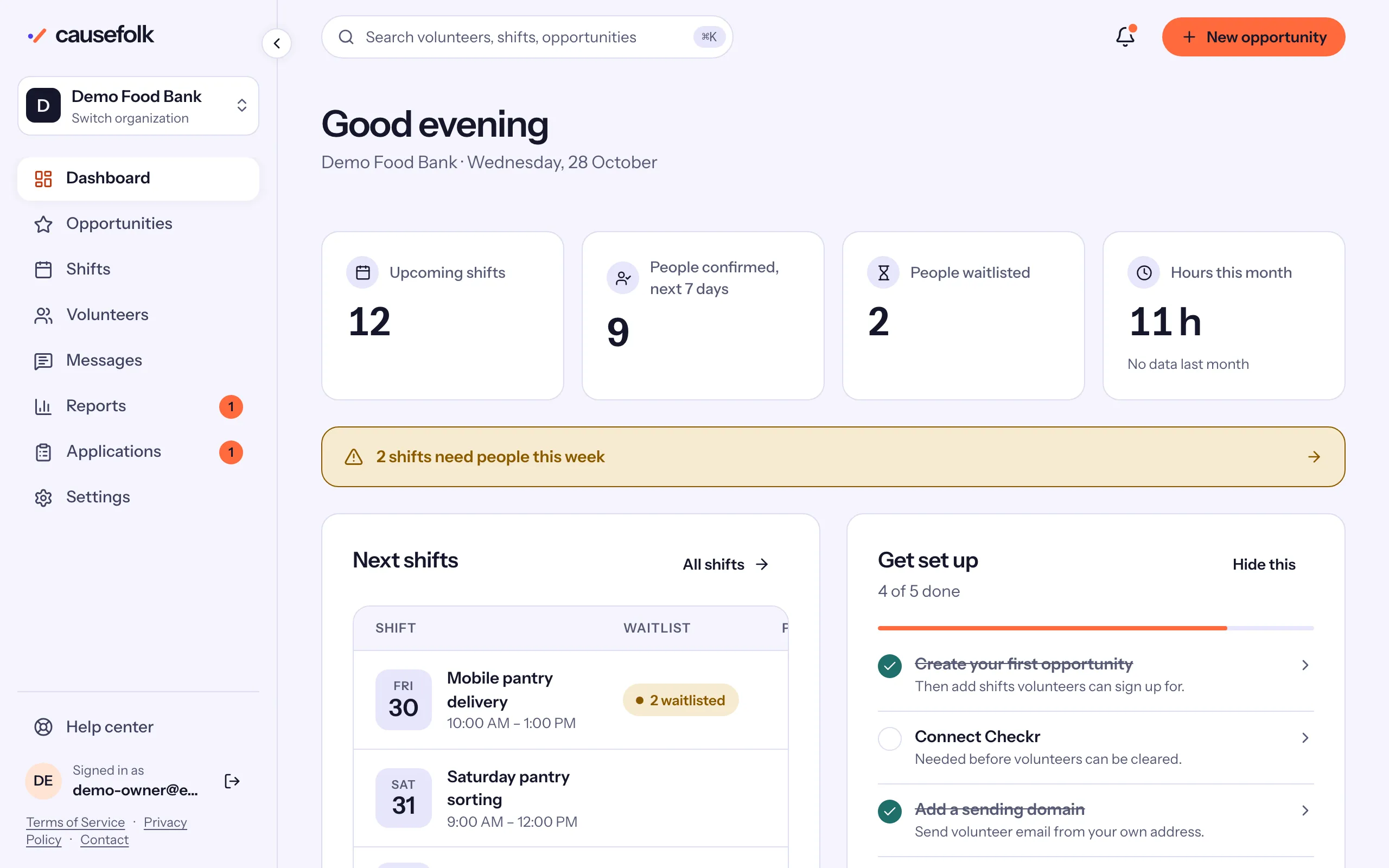
Your team works at app.causefolk.com. This is where you create opportunities and shifts, look at the roster for a shift, message volunteers, approve hours and change your settings. After you sign in you land on the dashboard: a greeting, four key numbers, your next shifts and, for owners, a short "Get set up" checklist.
Your volunteer site and embed
Every organization gets its own volunteer site at an address like yourname.causefolk.com, with your logo and colors. It lists your published opportunities and lets people sign up, join a waitlist or apply. You can also place the same sign-up on your own website with a short embed snippet, or with the WordPress plugin if your site runs on WordPress. Volunteers who sign up through the embed land in the same list as everyone else.
Once they have signed up, volunteers use the same site to see their shifts, cancel if plans change, check in when they arrive and update their details.
My volunteering
Some people help more than one organization. My volunteering at causefolk.com/me brings together, in one list, every upcoming shift a person has with every organization that uses Causefolk, along with a calendar feed they can add to their phone.
Good to know
Where to go next
If you are setting up a new organization, start with Start your organization, then publish your first opportunity and its shifts, and share your volunteer site or the embed.