Start your organization
Create your organization on a 14-day free trial, or take over one the Causefolk team set up for you.
Every program on Causefolk lives in an organization: your opportunities, shifts, volunteers, team and settings all belong to it, and it gets its own volunteer site. There are two ways to get one.
Where to find it
- On your own: on causefolk.com, choose Start a free trial. It opens the sign-up at app.causefolk.com.
- Already signed in: open the organization switcher at the top of the sidebar and choose Create an organization.
- Set up for you: if the Causefolk team created your organization, you get an email invitation instead. Skip to "When the Causefolk team sets it up".
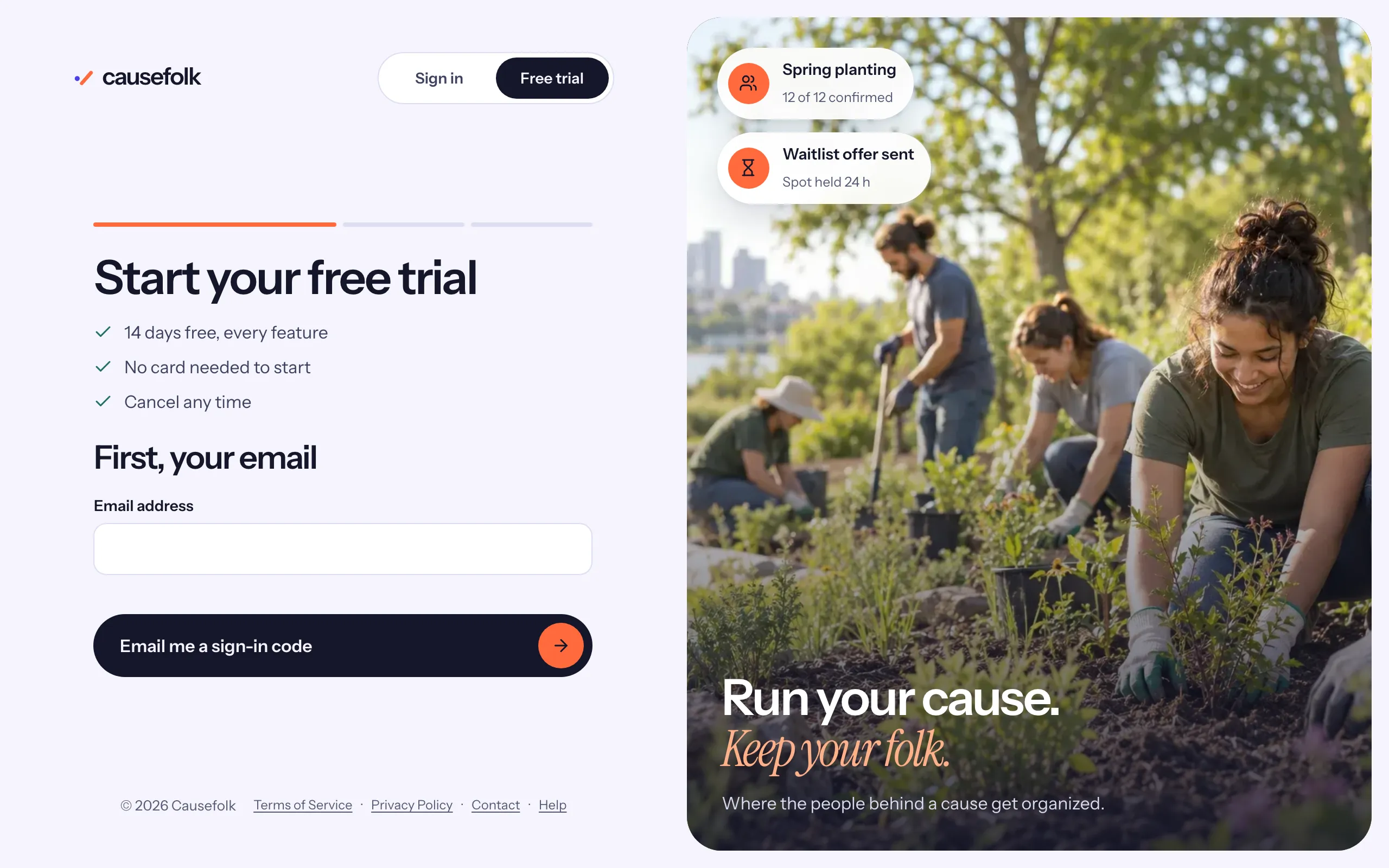
Create your organization
- Under First, your email, enter your Email address and choose Email me a sign-in code.
- Type the code from the email. There is no password to remember: you sign in the same way every time.
- Under Set up your organization, fill in:
- Organization name: how volunteers and your team see you.
- Subdomain: the first part of your volunteer site's address. Causefolk suggests one from the name and tells you whether it is Available, Already taken or Reserved. The line under the field shows the full address.
- Timezone: every shift time is entered and shown in this zone.
- Contact email: the reply-to address on the emails volunteers get from you.
- Read the sentence under the button: "By continuing you agree to the Terms of Service and acknowledge the Privacy Policy." Both open in a new tab.
- Choose Create organization. Your trial starts and you land on your dashboard, where a short "Get set up" checklist suggests the next steps.
Your free trial
The trial lasts 14 days and includes every feature. No card is needed to start. Seven days before it ends a banner appears in the staff app, and owners get an email three days before. To keep going, an owner subscribes under Settings → Billing with Subscribe monthly or Subscribe yearly.
If the trial ends without a subscription, volunteer signups are paused and the staff app becomes read-only. Nothing is deleted: subscribe and everything opens again as you left it.
When the Causefolk team sets it up
Some organizations are created by the Causefolk team, for example as part of a partnership. In that case:
- You get an email saying you have been invited to join the organization. Sign in at app.causefolk.com with the same email address the invitation went to, and you are in.
- The organization starts with complimentary access, with no trial clock running. If the complimentary access has an end date, Settings → Billing shows it, a banner appears 14 days before, and a 14-day free trial starts on that date.
- The Terms are agreed with the Causefolk team directly rather than on the sign-up form.